
Business software · UAE
Custom Software Development Company in the UAE
Most businesses run on a mix of tools that were never designed to work together: a CRM here, an accounting package there, and a collection of spreadsheets, email threads and WhatsApp groups holding everything in between. That works until it doesn’t. Orders get missed, approvals stall, reports take days to compile, and nobody is sure which version of the spreadsheet is correct.
- Dubai-based team
- Arabic & English products
- You own the code and accounts
Netmark SEO builds custom software that brings those processes into one system designed around how your business actually works. We focus on the practical side: understanding your workflow first, connecting the systems you already rely on, moving your data across carefully and rolling the new software out in phases your team can adopt.
How we work
Software Built Around Your Business Processes
Good business software reflects the way decisions and work flow through your organisation. Before we suggest any technology, we map the process: who starts a request, what information they need, who approves it, what happens next, and what the business needs to report on at the end.
That mapping often reveals simple improvements before any code is written: duplicated data entry, approvals that add delay without adding control, or reports compiled manually from information that already exists in another system. The software we then design removes those friction points rather than digitising them.
Our software development services cover internal systems used by your staff, customer-facing portals, and the integrations that let information move between them automatically. For software development in Dubai and across the UAE, we also plan for bilingual interfaces, local payment and messaging providers, and the reporting formats your finance and management teams already use.
Overview
When Custom Development Makes Sense
Custom software is an investment, and it is not always the right one. A useful starting point is to ask whether your process is genuinely different from other businesses in your sector, or whether a well-configured existing product would do the job.
Signs you have outgrown off-the-shelf tools
- Your team spends hours each week copying data between systems or re-keying information from emails and spreadsheets.
- Standard software forces you to change a process that gives you a competitive advantage.
- You pay for several tools and use a fraction of each, while still filling gaps manually.
- Management reports require manual work every week because data lives in different places.
- Customers or partners need access to information that currently goes out by email or phone.
- Licence costs grow steeply as you add users or branches.
When an existing product is the better choice
If your needs match what a mature product already does well, such as standard accounting, payroll or email marketing, configuring that product is usually faster and cheaper than building your own. Often the best answer is a combination: keep proven tools for standard functions and build custom software for the part of your process that is specific to you, connected to everything else.
When you compare a software development agency with hiring an in-house team, the same honesty applies. An agency gives you a complete team for the build without long-term hiring; an in-house team gives you permanent capacity but takes time to recruit. Many businesses use an agency to build and stabilise the system, then decide later whether to bring ongoing development in-house, which is why documentation and handover matter so much.
What we do
Business Systems We Can Develop
Every system is scoped to your process, but most projects fall into a few familiar categories:
| System | Typical purpose | Common features |
|---|---|---|
| Operations and job management | Track jobs, bookings or service requests from request to completion | Scheduling, task assignment, status tracking, photo and signature capture, notifications |
| Customer and partner portals | Give customers, suppliers or agents secure self-service access | Account areas, document sharing, order or case history, messaging, invoices |
| Approval and request workflows | Replace email-based approvals for purchases, leave, quotations or contracts | Multi-step approvals, rules by amount or department, audit trail, reminders |
| Inventory and order management | Control stock and orders across branches or warehouses | Stock levels, transfers, purchase orders, low-stock alerts, barcode scanning |
| Reporting and dashboards | Turn scattered data into a single view of performance | KPIs, filters, scheduled reports, exports to Excel or PDF |
| Sales and quotation tools | Standardise pricing and speed up quotes | Product configurators, quote templates, approval rules, CRM sync |
Many of these are delivered as browser-based systems; our page on web application development explains how that side of delivery works. When staff or customers need the system on their phones, for example technicians in the field, we can add a companion mobile app.
Features
Integrations, Workflows and Data Migration
Approval workflows and user roles
Most business systems are used by people with different responsibilities. Role-based access controls define what each person can see and do: a sales executive creates a quotation, a manager approves discounts above a threshold, finance sees margins, and an external partner sees only their own orders. Every significant action is recorded in an audit log, so you can see who did what and when.
Connecting existing systems
Custom software rarely replaces everything. More often it sits alongside your accounting software, CRM, ERP, e-commerce platform or messaging tools and exchanges data with them through APIs. During discovery we list each system, check what it allows (a documented API, file exports or nothing at all), and agree which data moves in which direction and how often. Where a system has no API, we’ll explain the alternatives and their limitations before they become part of the plan.
Moving your data safely
Data migration is often underestimated. Customer lists, product catalogues, open orders and historical records usually come from several sources, in different formats and with duplicates and gaps. We handle migration as its own workstream:
- Inventory every data source and decide what moves, what is archived and what is left behind.
- Map old fields to the new structure and agree rules for cleaning and de-duplication.
- Test migrations on copies of the data and have your team check samples.
- Run the final migration at an agreed cut-over time, with validation reports and a rollback plan.
How we work
Our Software Development Process
01
Discovery and process mapping
Workshops with the people who do the work, not just managers. The output is a process map, user roles, requirements prioritised into phases, integration findings and known risks.
02
Solution design
Screens and workflows are designed as wireframes and a clickable prototype, so users can try the system before it is built. Our approach to user research and prototyping is the same one we use for apps. In parallel, we choose the architecture and hosting, considering security, expected users, data volumes and your IT policies.
03
Phased development
The system is built in short cycles with regular demonstrations. Phase one targets the highest-value part of the process, so the business sees benefit early.
04
Testing and user acceptance
Described in detail below.
05
Rollout and training
Go-live is planned with your team: training sessions, user guides, a support window after launch and, where needed, a period of running old and new processes in parallel.
06
Next phases
With the first phase in use, we gather feedback and plan the next set of features.
Quality
Testing and User Acceptance
Internal testing checks that each feature works as specified, across browsers and devices, with realistic data volumes and permissions. But the most important test is whether the system works for the people who will use it every day.
User acceptance testing (UAT) gives nominated users from your team a test environment with realistic data and a set of scenarios to work through, such as “raise a purchase request over AED 10,000 and route it for approval”. They record anything that doesn’t match how the process should work. We fix the issues, they re-test, and sign-off happens only when the agreed scenarios pass. UAT is also the best training: by go-live, a group of your staff already know the system well.
Our work
Relevant Software Projects
Business systems our development team has built and worked on, from transit scheduling and form automation to payment platforms.
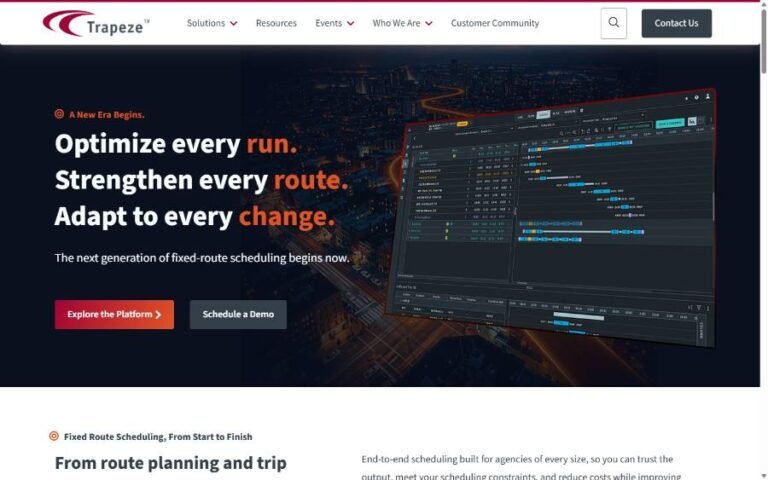
Transit scheduling software
Trapeze FX (now Nexfeld): Transit Planning & Scheduling
Planning and scheduling suite for transit operators, across timetabling, resource planning, optimization, GIS routing and Power BI reporting.
- C#
- .NET
- SQL Server
- WPF
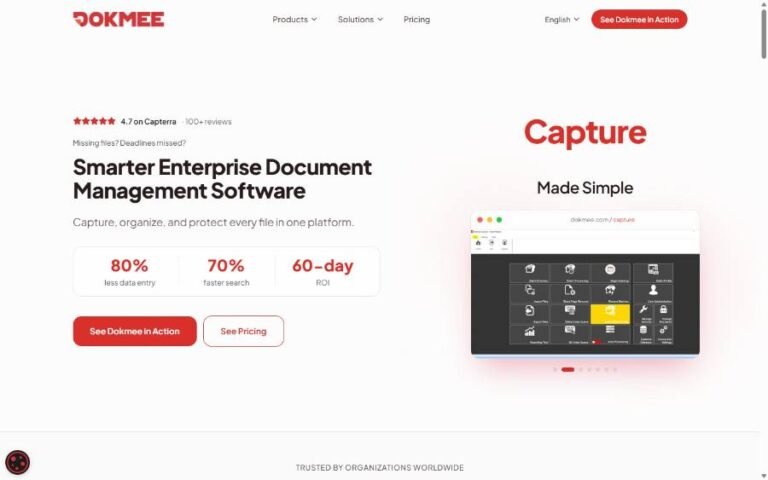
Forms automation
Dokmee Forms: Form Automation Module
A drag-and-drop form builder with conditional logic, field validation and automated approval routing.
- C#
- ASP.NET
- Angular
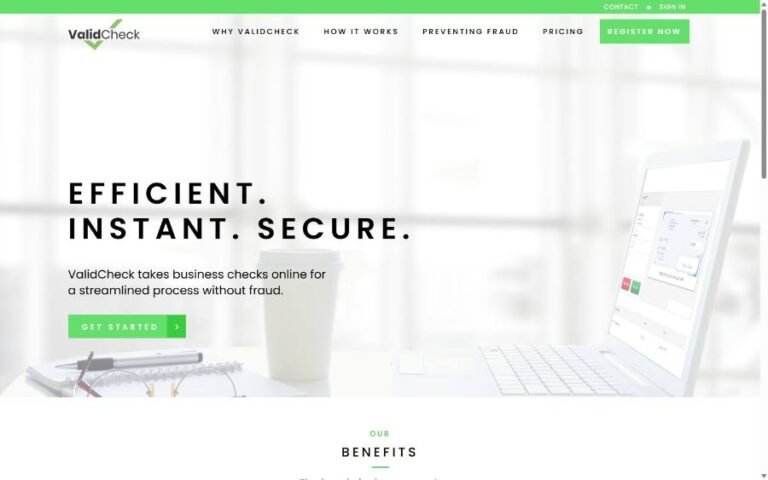
FinTech & payments
ValidCheck: Business eCheck Payment Platform
Email-based eChecks with QuickBooks sync and Positive Pay fraud validation.
- C#
- .NET Core
- SQL Server
Cost & scope
Cost, Scope and Delivery Planning
The cost of custom software depends mainly on:
The number of processes and user roles in scope.
Workflow complexity
conditional approvals, calculations and exceptions.
Integrations and the quality of the other systems’ APIs.
Data migration volume and how clean the source data is.
Reporting requirements.
Security, hosting and availability expectations.
Your team’s time for workshops, feedback and UAT.
The first cost is only part of the picture. A realistic total cost of ownership includes hosting, third-party services, support and future improvements. We’ll set those out alongside the build estimate. Phased delivery keeps risk under control: you commit to a defined first phase, see it working, and decide on later phases with real information. Choosing among software development companies in the UAE is easier when proposals show this breakdown, so ask every supplier for it.
After launch
Documentation, Ownership and Support
Software only remains an asset if someone can understand and maintain it. At handover you receive the source code, technical documentation, environment and deployment notes, and user guides. Hosting and third-party accounts should be held in your company’s name. Where the system processes personal or regulated data, we’ll agree the security measures in scope and work with your compliance advisers on any requirements specific to your sector.
After go-live, we can provide ongoing support and continued development: bug fixes, updates, monitoring and new features as your processes evolve.
Explore
Our App & Software Development Services
Every project is different. These related services often form part of the same product.
FAQ
Custom Software Development FAQs
How do we know whether we need custom software?
If standard tools would force you to change a process that works, or if your team spends significant time moving data between systems, custom software is worth evaluating. A discovery workshop will tell you whether to build, buy, configure or combine.
Can you work with the systems we already use?
Usually. We check each system’s integration options during discovery. Systems with documented APIs are straightforward to connect; others may need file-based exchanges or a different approach.
Will our operations be disrupted during the switch?
The aim is to avoid that. Phased rollouts, parallel running where needed, rehearsed data migrations and training before go-live keep disruption to a minimum.
Who owns the software and data?
You do. Source code, documentation and data are yours, and hosting and service accounts should be in your company’s name. Ownership terms are confirmed in the proposal.
How long does a project take?
It depends on the scope of the first phase. After discovery we’ll give a timeline for each phase, based on the agreed features, integrations and the time your team can give to reviews and testing.
Do you only work with companies in Dubai?
No. We work with businesses across the UAE, and the workshops can be held in person or remotely.
Request a Proposal
Tell us which process is causing the most friction, which systems you use today and who would use the new software. We’ll suggest a discovery approach and, once we understand the scope, a phased proposal from a software development company in the UAE that explains every cost.
Email info@netmarkseo.com