
Mobile app development · Dubai & UAE
Mobile App Development Company in Dubai
A good business app does one job well: it lets your customers book, order, pay, track or get help without calling you, or it gives your staff a faster way to do work they currently do on paper and spreadsheets. Netmark SEO plans, designs and builds mobile apps for businesses in Dubai and across the UAE, and we stay involved after launch so the app keeps working as phones, operating systems and your business change.
- Dubai-based team
- Arabic & English products
- You own the code and accounts
This page explains how we approach mobile app development in Dubai: the platforms you can choose from, the features most business apps need, how a project runs from first conversation to App Store and Google Play, and what drives cost and timeline. If you already have a brief, you can discuss your project with us straight away.
Overview
Custom Apps Built Around Your Business
Custom mobile app development starts with your process, not a template. Before anyone designs a screen, we want to understand who will use the app, what they are trying to get done, and what happens behind the scenes when they do it. A booking app for a clinic, an ordering app for a restaurant group and a field-service app for technicians all need sign-in, notifications and an admin panel, but the details that make each one useful are completely different.
The businesses that get the most from a custom app usually fall into one of three groups:
Customer-facing products
Ordering, booking, loyalty, memberships, marketplaces and service requests, where the app is how customers buy from you or stay in touch. Restaurants and cloud kitchens have their own requirements, covered in our guide to building a food ordering platform.
Internal and field tools
Apps for drivers, technicians, sales teams or inspectors who need to record work, capture photos and signatures, or check stock while they are away from a desk.
New digital products
Founders and companies launching a service that only exists as an app and needs a sensible first version to test with real users.
In each case, the aim is the same: a focused first release that solves a real problem, built on a foundation that can grow with you. As a mobile app development company in the UAE, we work with businesses in Dubai, Abu Dhabi and the other emirates. Working with app developers in Dubai means workshops, reviews and launch support happen in your time zone, with people who know the local market.
What we do
Mobile App Development Services
As a mobile application development company in Dubai, we cover the full path from idea to a live, supported app. You can work with us on the whole project or on the stages you need:
Product discovery
Workshops and research to turn an idea into a defined scope, a list of features for the first release and a plan for what comes later.
UI/UX design
User journeys, wireframes, a clickable prototype and the final interface. Our UI/UX design services page explains this stage in detail.
App development
Building the iOS and Android apps, the backend that stores data and runs business logic, and the admin panel your team uses to manage content, users and orders.
Integrations
Connecting the app to payment gateways, maps, messaging, your CRM, ERP, booking or point-of-sale system where those systems allow it.
Testing and release
Testing on real devices, preparing store listings, and managing submission to the Apple App Store and Google Play.
Maintenance and support
Bug fixes, operating-system updates, monitoring and new features after launch.
Arabic and English support is part of the conversation from day one for most UAE apps. Supporting right-to-left layouts properly affects design and development, so it is far easier to plan for it at the start than to add it later.
Choosing an approach
Choosing the Right App Platform
Platform choice affects cost, timeline, performance and how easily you can maintain the app. There is no single right answer; it depends on your audience, budget and what the app needs to do with the phone itself.
Native iOS and Android apps
Native apps are built separately for each platform using Apple’s and Google’s own tools: typically Swift for iOS and Kotlin for Android. They give the closest fit to each platform’s conventions and the most direct access to device features such as the camera, Bluetooth, background location and health data. The trade-off is that you are maintaining two codebases, which usually means more development and testing time.
Native is often the right call when performance, heavy use of device hardware or a very polished platform-specific feel matter most. Our pages on iOS app development and Android app development cover each platform’s design, testing and store requirements.
Cross-platform apps
Cross-platform frameworks such as Flutter and React Native let one codebase produce both the iOS and Android apps. For many business apps (booking, ordering, account management, content and forms) this is a practical way to reach both platforms with one team and one release cycle. Some platform-specific work is still needed, especially for payments, notifications and device features, and very demanding apps can hit limits that native development avoids.
We recommend an approach after discovery, once we know what the app has to do, rather than starting from a preferred technology.
When a web application is the better choice
Not every idea needs to be in an app store. If users mainly work on laptops, if the tool is used occasionally, or if you need something live quickly, a responsive web application can be cheaper to build and easier to update. Many projects end up with both: a web dashboard for staff and a mobile app for customers or field teams.
Features
Features and Integrations Your App May Need
Most business apps are built from a familiar set of components. What changes from project to project is how each one works and how much of it you need in the first release.
| Component | What it involves | Questions we’ll ask |
|---|---|---|
| Sign-in and user roles | Email, phone (OTP), Apple or Google sign-in; different permissions for customers, staff and admins | Who uses the app, and what should each role see and do? |
| Payments | Card payments, wallets such as Apple Pay and Google Pay, refunds, invoices | Which payment provider do you use or prefer? Physical goods, services or digital content? |
| Notifications | Push notifications, SMS or email for order updates, reminders and offers | Which events matter enough to notify users? |
| Maps and location | Addresses, delivery zones, live tracking, nearest branch | Do you need live location or just address entry? |
| Content and catalogue | Products, services, menus, schedules, prices managed from an admin panel | Who updates content, and how often? |
| Analytics | Screen and event tracking to understand how people use the app | Which actions show that the app is working for you? |
| Admin panel | A web dashboard to manage users, orders, content and reports | Which reports do you look at every week? |
| Business-system integrations | CRM, ERP, POS, booking or accounting systems | Does the system have an API, and do you have access to it? |
Integrations deserve early attention. A connection to an existing system is often straightforward when the system has a documented API, and much harder when it does not. We check this during discovery so it does not become a surprise halfway through development.
How we work
From Product Discovery to Launch
Every project is different, but the stages below are how we keep scope, budget and quality under control.
01
Discovery and requirements
We start with conversations about your business goals, users and existing processes. The output is a written scope: user roles, main user journeys, a feature list split into “first release” and “later”, known integrations, and assumptions we still need to confirm. This is also where we agree the platform approach. Discovery is the stage that protects your budget, because changing a plan on paper costs far less than changing working code.
02
User journeys and interface design
Next, we map the key journeys (sign up, place an order, book a slot, complete a job) and turn them into wireframes and a clickable prototype. You can tap through the app before it is built, show it to colleagues or customers, and request changes while they are cheap. Once the flows are agreed, the visual design follows, including Arabic layouts where needed.
03
Development in short cycles
Development runs in short cycles, typically one to two weeks. At the end of each cycle you get a working build to try on your own phone, so progress is visible and feedback happens early. The backend and admin panel are built alongside the apps, because most features depend on all three.
04
Testing and release preparation
Testing covers functionality, different screen sizes and operating-system versions, poor network conditions, and the flows that involve money or personal data. Before release we prepare store listings, screenshots and privacy information, and we walk you through the developer accounts that should be registered in your company’s name.
05
Launch and the first weeks after
Apple and Google review every app before it goes live, and reviewers sometimes ask for changes. We handle the submission and respond to review feedback. After launch, the first few weeks are about watching crash reports, analytics and user feedback, and fixing anything that shows up under real use.
Our work
Software & App Projects
Alongside our website and SEO work, our development team has delivered business software, web applications, mobile access and AI tools, including the projects below.
Document management
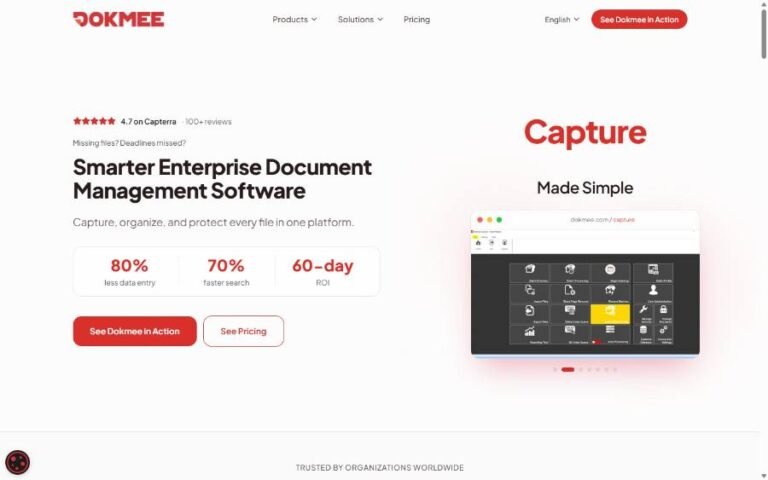
Dokmee: Enterprise Document Management Suite
Capturing, indexing, routing and auditing business documents across Dokmee ECM, Capture, Cloud ECM and Mobile ECM.
- C#
- ASP.NET
- SQL Server

Business management software
ScoreCEO: Credit Repair Business Platform
A multi-portal CRM with client, affiliate and admin portals, automated dispute management and compliance tools.
- C#
- ASP.NET
- Angular
AI & chatbots
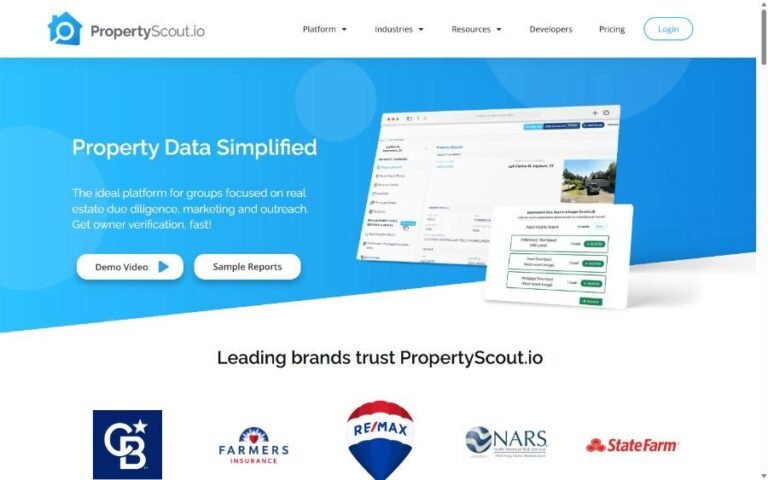
PropertyScout.io: AI Support Assistant
An LLM support assistant grounded in the product’s help docs (RAG), with answer ratings and an admin dashboard.
- Angular
- .NET
- LLM + RAG
Cost & scope
What Affects Development Cost and Timeline?
We can’t give a responsible price for an app without understanding it first, and you should be wary of anyone who quotes a fixed figure from a one-line description. What we can tell you is which factors move the estimate most:
Number of platforms
iOS only, Android only, or both, and whether a cross-platform approach fits.
Number of user types
A customer app with an admin panel is smaller than a marketplace with customers, providers, drivers and admins.
Feature depth
“Payments” can mean a single card checkout or split payments, refunds, wallets and invoicing.
Integrations
Each connection to an external system adds design, development and testing work, and depends on the quality of that system’s API.
Design complexity
Custom animations, bilingual layouts and detailed accessibility work all add time, and are often worth it.
Content and data
Migrating existing customers, products or records needs planning and validation.
Your availability
Fast feedback and decisions keep a project moving; long gaps between reviews stretch timelines.
A common, sensible route is to agree a smaller first release (often called an MVP, or minimum viable product), launch it, learn from real usage, then invest in the next phase. After discovery, we provide an estimate broken down by feature and phase, so you can see where the budget goes and make trade-offs with full information.
After launch
Ownership, Handover and Ongoing Support
Before any project starts, you should know who will own what at the end. Our default position is simple: the app is your business asset.
Source code and design files are handed over to you, together with technical documentation that another developer could pick up.
App store accounts (Apple Developer Program and Google Play Console) should be registered in your company’s name, with us added as team members during the project.
Hosting, domains and third-party services (cloud hosting, payment gateway, messaging providers) should also be held in your name, so you are never locked out of your own product.
After launch, apps need regular attention: Apple and Google release new operating-system versions every year, libraries need security updates, and users will ask for improvements. Our app maintenance and support service covers fixes, updates, monitoring and planned improvements, scoped to what your app actually needs.
Explore
Our App & Software Development Services
Every project is different. These related services often form part of the same product.
FAQ
Mobile App Development FAQs
What do you need from us to give an estimate?
A short description of the problem the app solves, who will use it, the main things they need to do, and any systems it must connect to. Examples of apps you like (and why) help too. If you only have an idea, that is fine: discovery exists to turn it into a scope we can estimate properly.
Should we build for iOS, Android or both?
It depends on your audience and budget. Many UAE consumer apps launch on both platforms because both are widely used here; some internal or specialist tools only need one. We’ll look at who your users are and recommend an approach, including whether cross-platform development makes sense.
Can the app connect to the systems we already use?
Often, yes, if those systems offer an API or another supported way to exchange data. We confirm what each system allows during discovery, before it is built into the estimate. If a system has no API, we’ll explain the alternatives, such as scheduled data exports or middleware.
Who owns the app and the source code?
You do. Source code, design files and documentation are handed over, and the store accounts, hosting and service accounts should be registered to your company. We’ll confirm ownership terms in writing in your proposal.
Who is responsible for publishing the app?
We prepare the builds, store listings and submission and respond to review feedback. The developer accounts are yours, and you approve the final listing content. Apple and Google make the final decision on approval, so we build to their guidelines from the start to reduce the chance of delays.
What happens after the app goes live?
We monitor crashes and performance in the first weeks and fix launch issues. After that, you can choose ongoing maintenance and support, or bring us in for specific updates and new features when you need them.
Discuss Your App Project
Tell us what you want your app to do, who it is for and where you are in the process. We’ll reply with questions, a suggested next step and, once we understand the scope, a proposal you can compare with confidence.
Email info@netmarkseo.com